
Case study
Shoperchat
Chat commerce built around where small sellers actually sell — a “PRICE?” comment on an Instagram post — instead of a help-desk widget nobody on the buying side ever opens.
- Sector
- Social commerce
- Built with
- Next.js
- Scope
- Comment automation, chat AI, design studio, flows
The brief
The sale happens in a comment, not a cart
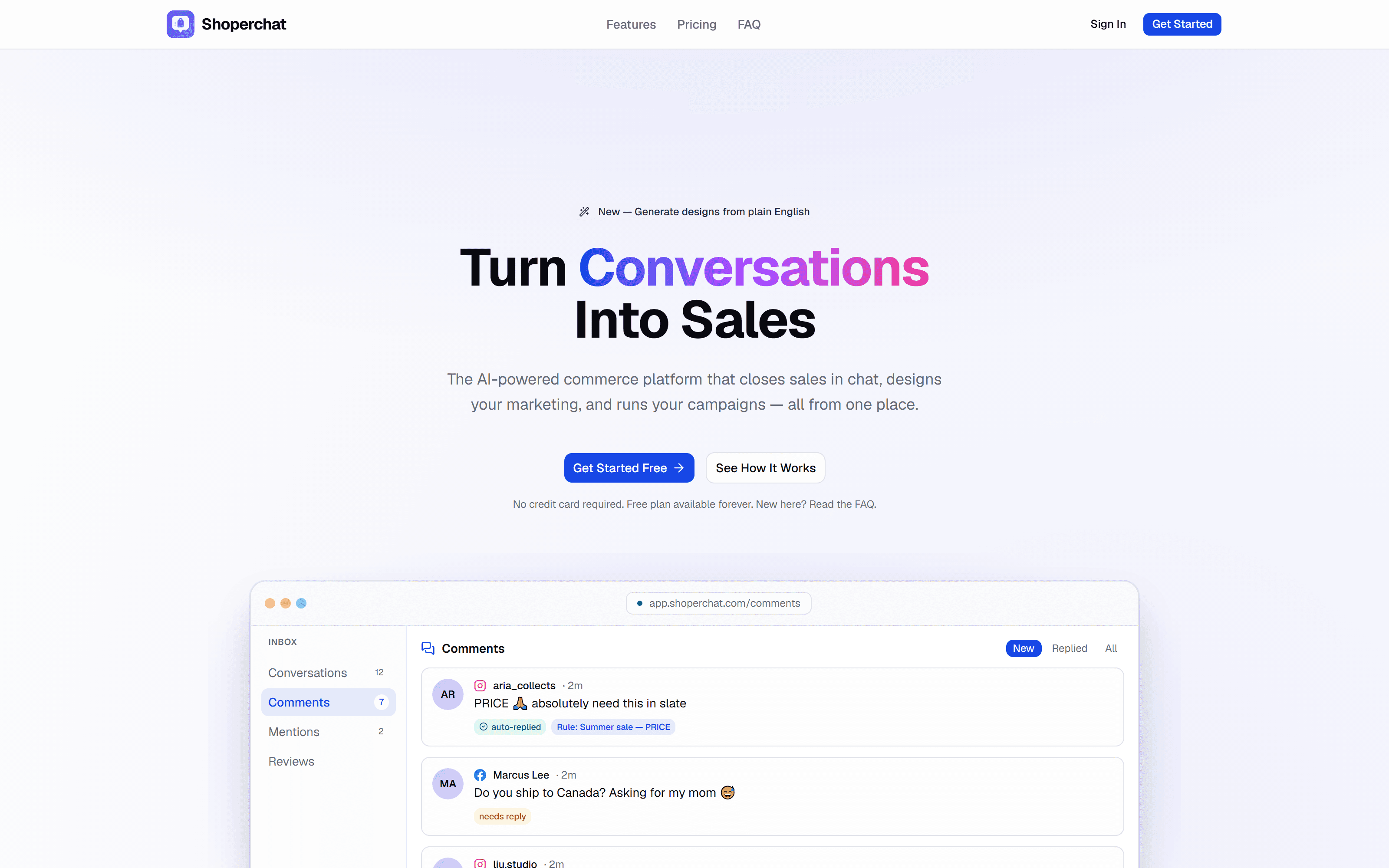
For a huge amount of small-business selling on Instagram and Facebook, the moment of intent is a one-word comment — “PRICE?”, “size?”, “still available?” — under a post, not a checkout page. Answering fast matters more than almost anything else a seller does, and answering by hand doesn't scale past a handful of posts a week: someone has to watch the comments, copy a product link, and paste it into a DM before the shopper loses interest and scrolls on.
Shoperchat's brief was to close that gap without asking sellers to change how they already sell. Not a new storefront to migrate to — automation and AI layered directly onto Instagram, Facebook, and WhatsApp, the channels a seller and their customers are already in.
What we built
Comment to DM, before the shopper scrolls away
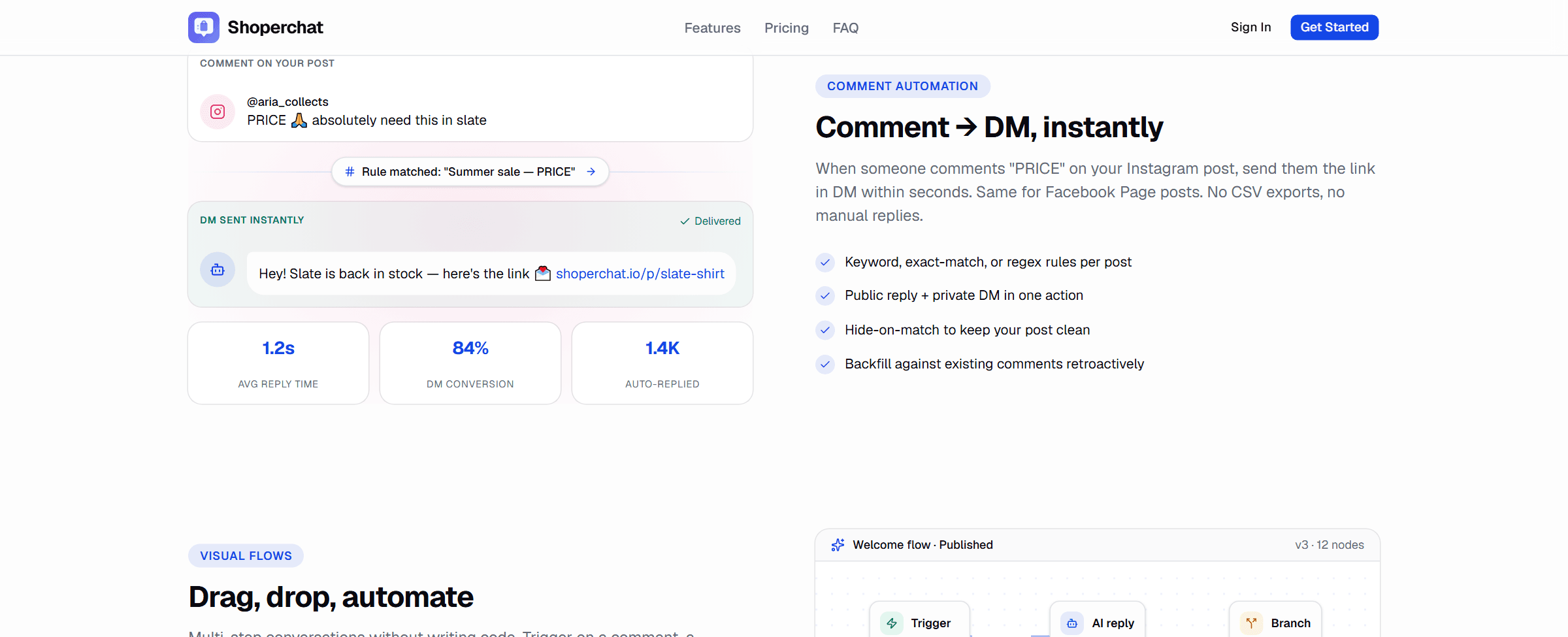
A keyword, exact-match, or regex rule watches a post's comments; when one matches, Shoperchat posts a public reply and sends a private DM with the product link in the same action, and can hide the matched comment so the post's comment section stays clean instead of filling up with “PRICE?” from twenty different people. Rules apply retroactively too, so a post that already has a hundred comments doesn't need to be worked through by hand after the fact. The inbox behind it pulls WhatsApp, Instagram, Messenger, and marketplace DMs into one conversation view, so a seller isn't checking four apps to see who they still owe a reply.
Beyond the auto-reply
A flow builder and a design studio, not just a chatbot
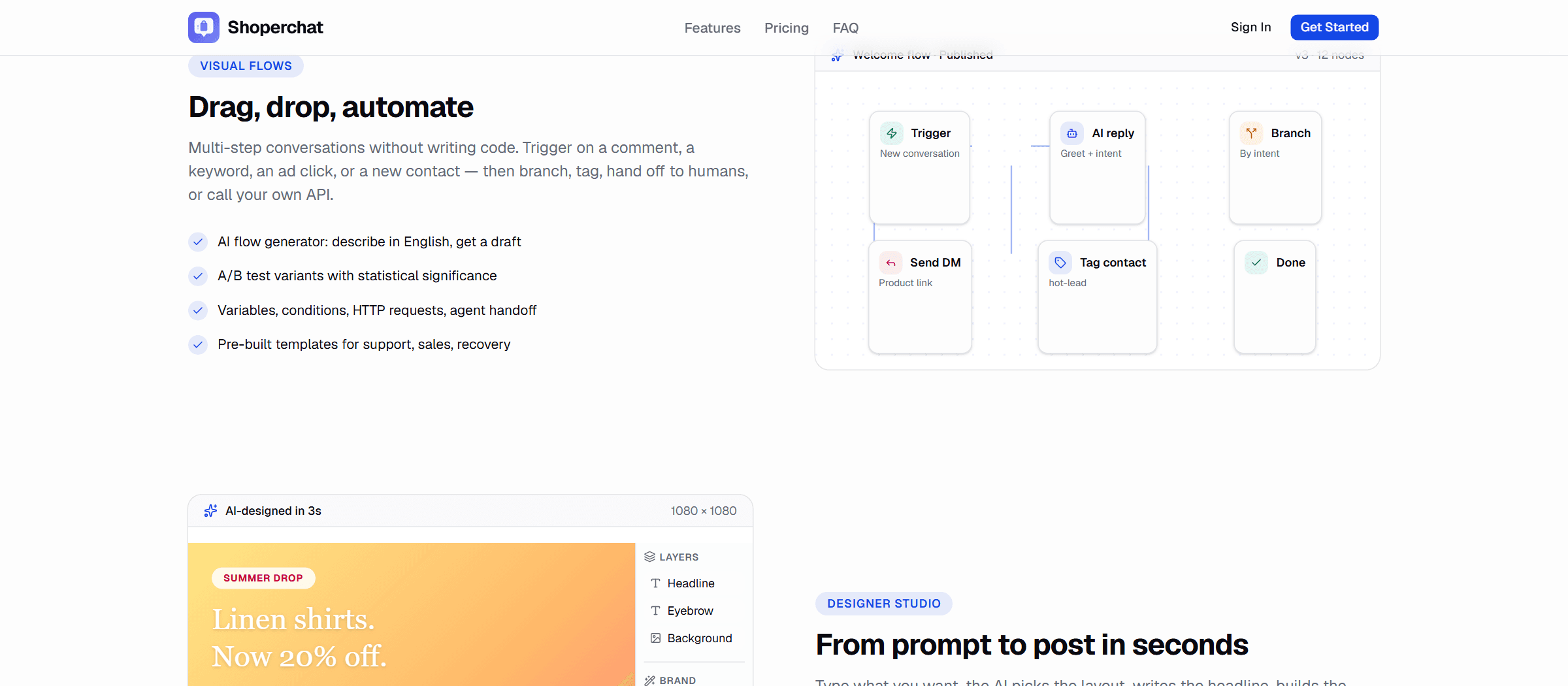
Past the first automated reply, conversations branch: a visual flow builder lets a seller drag together triggers, AI replies, branches by intent, and hand-offs to a human, with A/B testing and pre-built templates for support, sales, and cart recovery so nobody has to design a flow from a blank canvas. Describing what you want in plain English gets a draft flow to start from instead.
The design side exists because a seller running chat commerce is also the one posting the promotion that starts the conversation. A prompt turns into a laid-out social post — headline, palette, and canvas assembled in seconds — landing in a Canva-style editor with a locked brand kit, multi-page artboards for carousel posts, and background removal built in, rather than a separate design tool the seller has to context-switch into.
Engineering notes
Commerce and conversation share one backend
None of this works if the chat layer doesn't know what's actually in stock, so product data syncs from Shopify, Walmart, eBay, and Amazon into one catalog with multi-warehouse inventory and order state — a DM'd product link and a storefront listing are reading the same record, not two systems a seller has to keep in sync by hand. Proactive messaging triggers on exit-intent, scroll depth, time-on-page, or cart value rather than a fixed timer, and analytics ties engagement back to revenue attribution, CSAT, and agent performance so a seller can see which automated flow is actually converting and which one just feels busy.
Where it stands
Free forever on one channel, priced by how far it's scaled
The free plan runs one channel, two flows, and five scheduled posts a month indefinitely, with the design studio included and no card required. Starter ($29/month) and Pro ($79/month, the plan most teams land on) step up channels, flows, and scheduled posts together with AI chatbots, analytics, and priority support, and Enterprise moves to custom pricing with unlimited channels, flows, and team members plus API access. The tiers scale by usage — channels, flows, posts, seats — rather than gating the design tools behind a higher plan.
Start a project
Building something like this?
We take on a handful of builds at a time so every one of them gets this kind of attention. Tell us what you're trying to ship.